Contents
In briefHow an agent shopsThe four surfacesThe five testsCompare-at prices an agent can readWhat the tests surfaceOur takeQuestionsRelated service
Shopify Agentic Commerce →The store an agent shops in
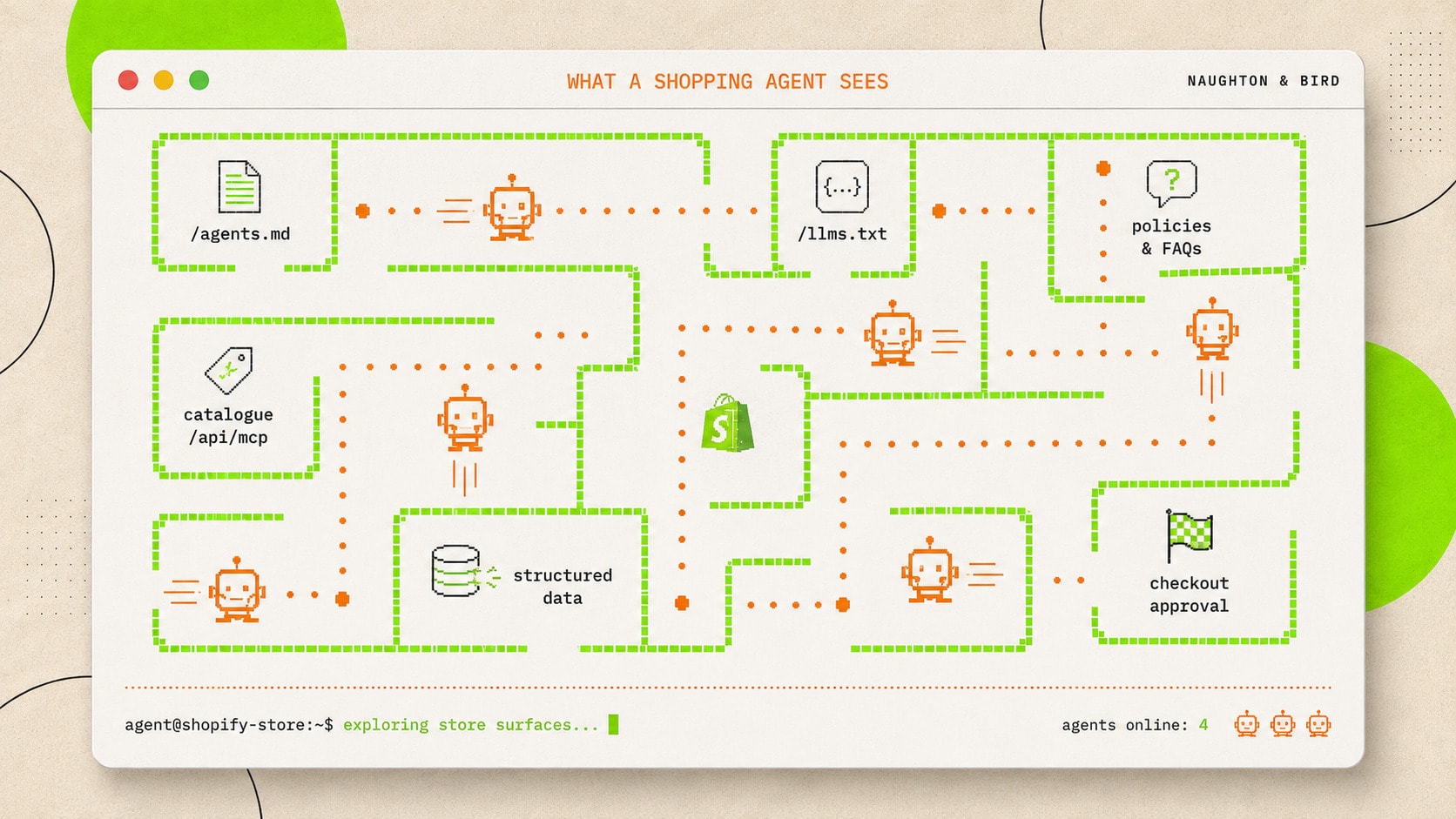
A shopping agent never sees your theme, your photography or your homepage film. It reads structured surfaces: the discovery files Shopify serves on every store, the catalogue through the storefront MCP interface, the policies and FAQ feed, and the structured data on your pages. Everything it knows about your store comes from those four, and every one of them is public.
Because the surfaces are public, you can read your store the way an agent does, today, without installing anything, and the gap between what you tell shoppers and what an agent is being told is usually visible within the first ten minutes. What follows is the test process we run at the start of every agentic readiness engagement, written so you can run it yourself.
There are now two ways an agent reaches a store. The first, which the tests above cover, is through the store's own endpoints, the MCP and UCP interfaces Shopify serves, which is how an external shopping agent reads the catalogue and places an order. The second is an agent spawned on the site itself from a chat, and the browser-side route for that is WebMCP, a proposed W3C standard from Google's Chrome team and Microsoft's Edge team, published in August 2025, in early preview in Chrome since February 2026 and moving to an origin trial in Chrome 149 in June. It is a draft, not yet a standard, and a store that is ready for both routes is the one that wins when either arrives.
The four surfaces, in the order an agent meets them
| Surface | Where it lives | What the agent learns |
|---|---|---|
| Discovery files | /agents.md, /llms.txt, /llms-full.txt | What the store is, how to transact with it, the rules |
| Catalogue interface | The storefront MCP endpoint at /api/mcp | Which products match a buyer's need, with titles, descriptions, prices and availability |
| Policies and FAQ feed | search_shop_policies_and_faqs on the same endpoint | Returns, shipping, services, and every curated Knowledge Base answer |
| Page-level structured data | Product and collection pages, schema markup | Machine-readable prices, availability, ratings and policy details |
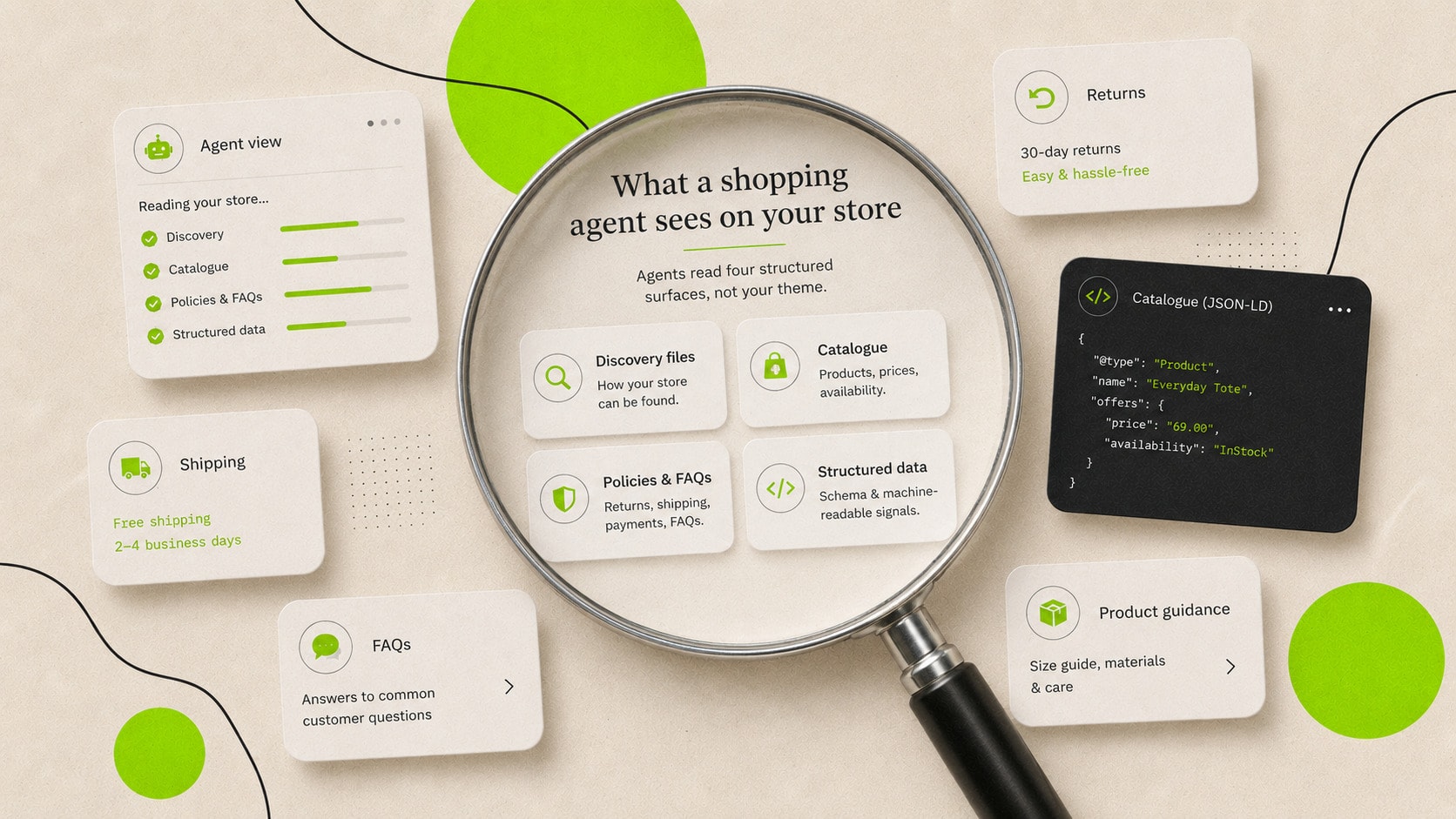
The four tests below take the surfaces in that order. For each one, note what you find, because the same reads repeated after the fixes are your before-and-after evidence.
Test 1: read your discovery files
Open yourstore.com/agents.md, /llms.txt and /llms-full.txt in a browser and read all three. On most stores all three match except for a single line identifying the path, which means the store serves Shopify's default and there is no brand content in the discovery layer. Note whether the policy links resolve and whether anything in the file misstates the store.
This test takes five minutes and requires nothing technical, and it is the one we recommend every merchant runs this week regardless of what else they do.
Test 2: search your catalogue the way an agent does
The storefront MCP endpoint speaks plain JSON over HTTP, so a developer, or any AI assistant with a code tool, can query it in minutes. The request calls the search_catalog tool with a natural-language query and buyer context, and the response is the product set an agent would work from, with the exact titles, descriptions and prices it would read.
Choose queries the way buyers phrase needs: a use case, an occasion, a constraint. For a country footwear store, "waterproof boots for a shooting day" tells you more than "boots", because it tests whether the catalogue's language matches the buyer's. Run your two or three most commercially important queries and read the responses closely.
- Are the right products first? If a use-case query surfaces the wrong range, the product data does not carry the use case, and no downstream layer can fix that.
- Do the descriptions give an agent anything to recommend with? A two-sentence description with no material, fit or use-case detail produces a recommendation with the same holes in it.
- Is anything commercially important missing entirely? An absent product line usually traces to catalogue structure or channel eligibility, and it is better found by you than by a customer's agent.
A worked catalogue read
This is what the assessment looks like in practice, for an illustrative premium skincare store queried with "gift set for sensitive skin under £60". The response carried four products, and reading them as an agent would produces four different verdicts.
| What came back | The description contained | Verdict as an agent |
|---|---|---|
| The sensitive-skin gift set, £55 | Full routine listed, fragrance-free stated, per-product sizes, "suitable for reactive skin" | Recommendable as asked: matches need, budget and occasion |
| A bestselling moisturiser, £48 | Two sentences of brand copy, no ingredients, no skin-type guidance | Cannot confirm it suits sensitive skin, so it gets skipped or hedged |
| A £95 premium set | Rich description, over budget | Discarded on the buyer's constraint, correctly |
| A cleansing balm, £24 | Ingredients listed, no mention of gifting or sets | Usable only as a stocking-filler suggestion, if the agent improvises |
One query makes the store's product-data quality legible line by line. The set written for this question wins it, and the bestseller loses on information it possesses in real life but never put in the description. Multiply by your top ten buyer questions and you have a catalogue work-list ordered by revenue.
What an agent-readable description contains
The moisturiser above fails as an agent read while being a perfectly good product page for a human, because the photography, reviews and brand context that persuade a person never reach the feed. The description field has to carry the load alone.
Written for humans only: "Our hero moisturiser, loved for years. Silky, weightless, and the finishing touch to any routine." Rewritten to carry its facts: "A daily moisturiser for normal to sensitive skin, fragrance-free and dermatologically tested, with squalane and ceramides. 50ml, suitable under make-up, and the partner product to the sensitive cleansing range." The second version is still brand voice, and it now answers skin type, size, formulation and adjacency, which are the fields an agent recommends on.
The pattern to apply across the catalogue: state what the product is, who and what it is for, the material or formulation facts a buyer would ask about, and what it pairs with, inside the first hundred words. Everything an agent cannot read from the description, it treats as unknown.
Compare-at prices an agent can read
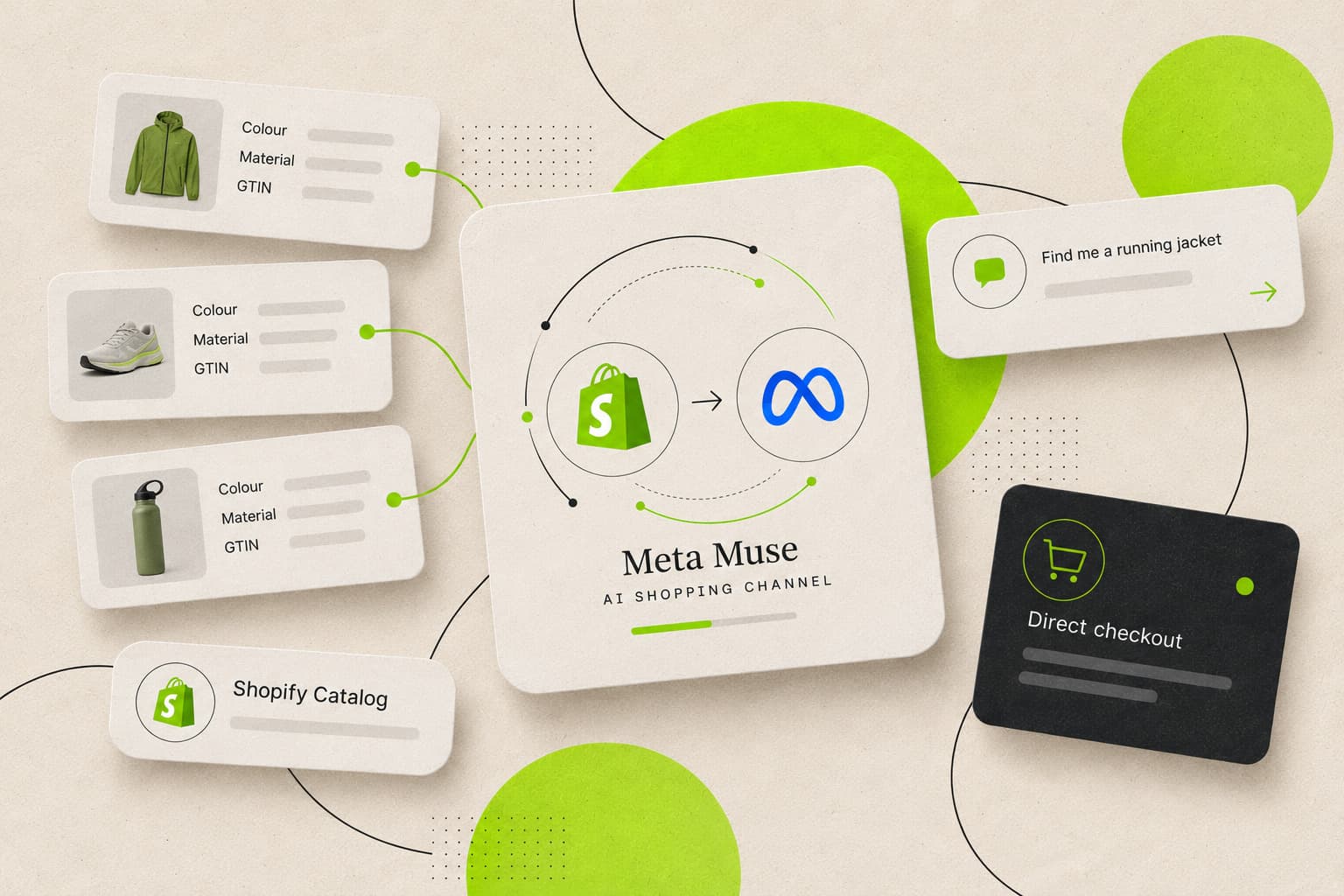
From 9 October 2026, Shopify Catalog shares a product's compare-at price with AI shopping agents, so an agent can see when a product is marked down. Previously, an agent saw only the current price.
From the Shopify admin, go to Sales channels, then Agentic. In the Sources section, click the icon for Shopify Catalog, then click Review product data mapping. The switch is in the Compare-at section.
- With the switch on, Catalog sends the compare-at price only when it is higher than the current price in the buyer's context, and an agent might advertise it as strikethrough pricing.
- With the switch off, Catalog sends the current price only.
- Shopify turns sharing on by default for most stores, and off for stores that use compare-at for MSRP or another reference price. Later changes in how compare-at is used do not automatically move the switch.
Stores that hide compare-at prices from EEA buyers do not return list_price to them. Catalog sends an eligible compare-at price as UCP list_price, and the Catalog API returns that field.
On the Preview tab, select a product whose compare-at price is higher than its current price. With the switch on, the preview shows a strikethrough beside the current price and a percentage discount badge. Shopify notes the preview is not an exact indicator of how an AI channel might display the product. If the compare-at price is an MSRP or another reference price, confirm the switch is off, then click Save.
Test 3: ask the questions a shopper would ask
The same endpoint serves search_shop_policies_and_faqs, the tool an agent calls for returns, shipping, services and every other store question, drawing on the Knowledge Base feed. Query it with a written question set covering returns, exchanges, refund timing, delivery costs and times, collection, gifting, care, sizing and warranty, marking each answer accurate, wrong or missing.
Twenty to thirty questions is a full baseline, the reusable set is in our Knowledge Base guide, and the scoring matters more than the count. A missing answer is a gap an agent fills with a guess or a shrug, and a wrong answer is being relayed to buyers as fact until someone corrects the feed.
Test 4: watch the channel itself
Finally, test from the buyer's side. Ask ChatGPT, and any other platform your customers use, two or three category questions without your brand name: the best options in your category for a given need, budget or occasion. Note whether your brand appears, which competitors do, what language the platform uses about each, and whether the details it states are accurate.
Keep the queries identical each time you repeat the exercise, because this is the noisiest of the four tests and only consistent queries make movement readable. What you are measuring is presence and accuracy in the answer layer, and the earlier tests explain most of what you see here.
Test 5: check who you are blocking
One five-minute check sits outside the four surfaces and undoes all of them when it fails: robots.txt. Read yourstore.com/robots.txt and look for disallow rules against the AI crawlers, GPTBot, Google-Extended, PerplexityBot, anthropic-ai, Amazonbot, and Bytespider where a mainland Chinese customer base matters. Blocking rules usually date from a 2023-era decision, made when opting out of model training looked prudent and before the same crawlers became the route to being cited.
Shopify stores can edit the robots.txt.liquid template directly, so removing a stale block is a small theme change. Decide the policy deliberately either way, because a store blocking the crawlers while investing in AI visibility is paying for a channel it has barred at the door.
Testing the transaction path
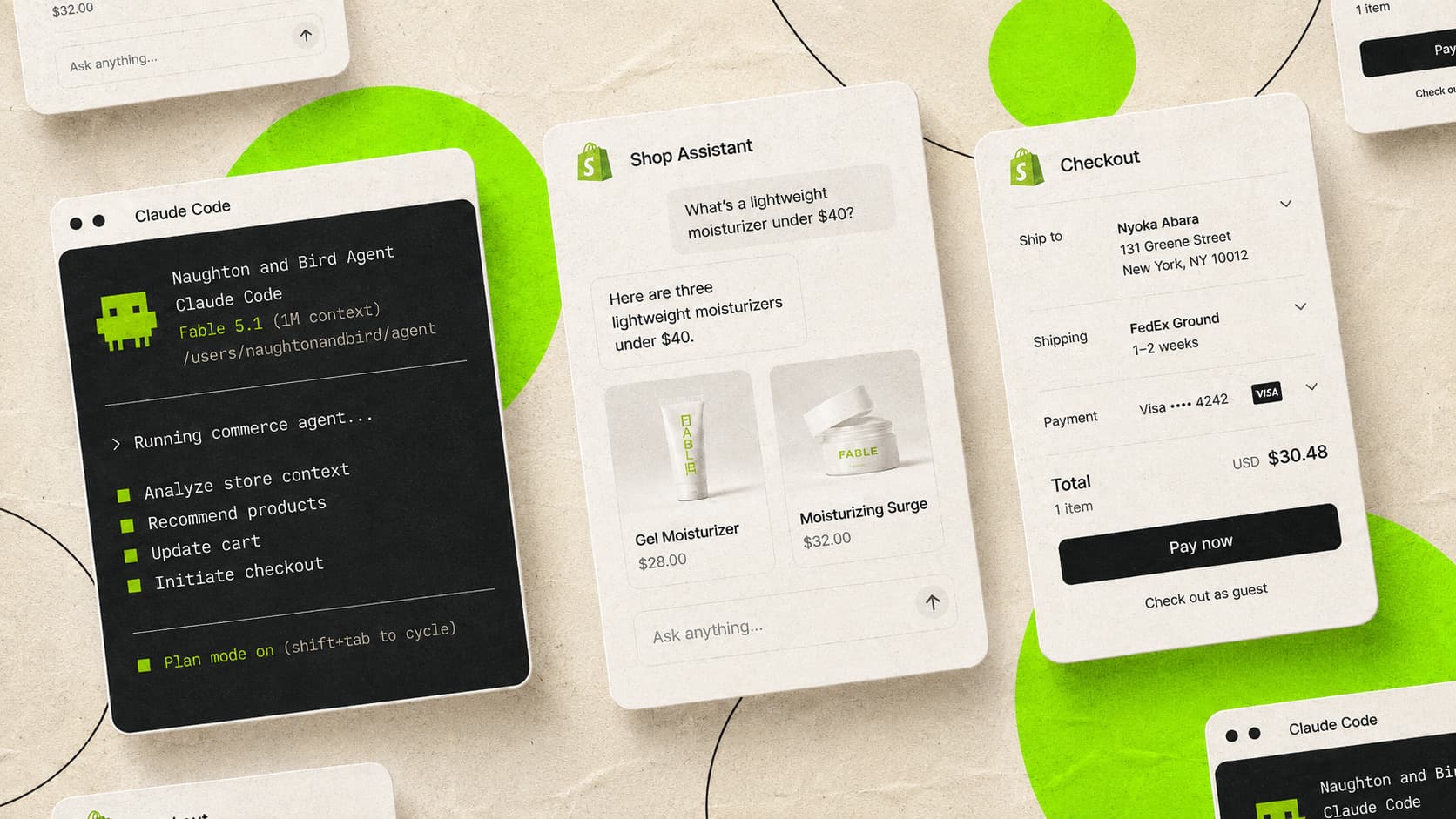
Discovery and representation are most of the picture, and the last yard is whether an agent-driven purchase completes. The storefront interface carries cart tools alongside search, so a developer can walk the full journey: search the catalogue, build a cart, and confirm the handoff to checkout, which by protocol rule always requires the human buyer's approval.
For most merchants the practical check is simpler than a full agent build. Confirm in the agentic storefronts section of the admin which channels are live, place a test order from a channel you can access, and watch where the buyer lands: on mobile the purchase completes in an in-app browser, on desktop the platform links out to your own store, so your checkout experience is still the closer either way. Anything broken on that path, a forced account wall, a market mismatch, an expired discount banner, now fails in front of an agent-referred buyer at the moment of highest intent.
What these tests surface on live stores
Running this process across live stores, the findings repeat. Discovery files are the untouched default everywhere. Policy feeds misquote terms, answer location questions with raw internal IDs, and return nothing for a third to a half of a standard question set. Catalogue searches surface the right products with descriptions too thin to recommend from.
The structural findings are less visible and matter as much. On one multi-store brand, four of nine collection references inherited from planning documents were broken on the live stores, and nothing flagged it, because a request for a missing collection returns success with an empty products array. On another store the myshopify subdomain did not match the store name it appeared to belong to, and every query against the assumed store was silently answering for a different market. Verify the store's identity from currency and product URLs in a live response before trusting anything else the endpoint tells you.
The traps that produce false results
| Trap | What happens | What to do |
|---|---|---|
| Querying the custom domain | yourstore.com/api/mcp does not serve the MCP interface | Use the .myshopify.com address for endpoint queries |
| Assuming the subdomain matches the store | Multi-store brands reuse historic subdomains across markets | Confirm identity from currency and product URLs in a live response |
| Trusting HTTP status codes | Missing collections return 200 with an empty products array | Check product counts, and confirm handles against the collections sitemap |
| Using the UCP endpoint for audits | /api/ucp/mcp rejects calls without a registered agent profile | Audit through /api/mcp, and carry the profile field when the tools migrate |
| Testing once and filing it | Feeds, catalogues and models all move | Repeat the reads quarterly and after any policy or range change |
One date to hold: the cart tools on /api/mcp retire on 31 August 2026 as part of the UCP migration, and responses from the old endpoint already carry the deprecation notice inline. Audit tooling built this season should expect to update its endpoints next season.
What testing will not tell you
The tests establish what agents can read, and they do not predict how often your brand gets recommended, because that rests on the brand's standing in the models' wider picture: authority, coverage, entity clarity, and signals well beyond the store. A clean feed and a rich catalogue make the store safe to recommend and accurate when represented, and the being-chosen work is the broader discovery-ready programme.
Treat the results as a snapshot, dated and repeatable, and fix the findings in order of dependency. Catalogue and policy corrections come first because every other layer restates them, then the Knowledge Base, then the discovery files, and the channel watch runs on a calendar.
Who runs what, and how often
| Test | Who can run it | Time | Cadence |
|---|---|---|---|
| Discovery files read | Anyone with a browser | 5 minutes | Quarterly, and after any theme change |
| Catalogue queries | A developer, or an AI assistant with a code tool | 30 minutes | Quarterly, and after range changes |
| Policy and FAQ baseline | A developer to capture, the team to score | An hour | Quarterly, and same-day after policy changes |
| Live channel queries | Anyone, with the saved question list | 20 minutes | Monthly, same queries every time |
| Transaction path | Whoever owns checkout | 30 minutes | After channel or checkout changes |
The whole cycle is under three hours a quarter once the question sets exist, and it is the difference between knowing what agents say about the store and assuming it. The first run is the one that produces surprises, so run it before your busiest season, when there is still time to act on what it finds.
Our take
The result that shocks us most in live tests is the Knowledge Base, when the agent arrives through the storefront endpoint. It is alarming how many big brands on Shopify have not touched their agents.md or their Knowledge Base. Gymshark is one. You assume the larger brands have the knowledge in-house, or full-service retainers with agencies, and they do not. For a consultancy as fanatical about the detail as we are, a signal you can own without paying for it is not something you leave on the table.
On a retained account the tests run as often as the store changes, because what matters is whether what the agent sees is truthful, makes sense and is up to date. A brand with a regular product cadence, collection launches and campaign launches needs it run more often. A brand with two cycles a year can run it less. It depends on the client, and we set the cadence with them.
Questions we hear about agent testing
Yes. The catalogue, policy and FAQ tools are public-facing by design, served without authentication, and reading them is how the platform expects the feed to be verified. Cart operations involving customer accounts are the part that requires auth.
You can sample it, and that is test four: repeat the same category queries on a schedule and record the answers. There is no feed of every conversation, which is why the readable surfaces underneath, catalogue, policies, files, are where the testing effort pays.
It covers the shared foundations, and none of the four agent surfaces is in a standard SEO scope. Ask whoever owns search to run the discovery-file and feed reads once, and you will know within an hour whether the layer is handled.
Catalogue and policy accuracy, because every other layer restates them. Then the Knowledge Base, then the discovery files, and re-run the baseline after each stage so the improvement is on record.
Sources & references
- Shopify developer documentation, Storefront MCP(shopify.dev)
- Shopify developer documentation, Test and customize your agent(shopify.dev)
- Shopify developer changelog, Storefront MCP cart tools are being deprecated in favour of UCP Cart MCP(shopify.dev)
- Shopify Help Center, Shopify agentic storefronts(help.shopify.com)
- Shopify Help Center, Shopify Knowledge Base(help.shopify.com)
- Shopify changelog, Compare-at prices now shared to agentic channels(changelog.shopify.com)
- Shopify Help Center, Customizing your product data for Shopify Catalog(help.shopify.com)
- Shopify developer changelog, Catalog API now returns compare-at prices as list_price(shopify.dev)