Contents
In briefWhat it isWhat's changedThe test question setA worked entry setLoading itOur takeQuestionsRelated service
Shopify Agentic Commerce →What the Knowledge Base is
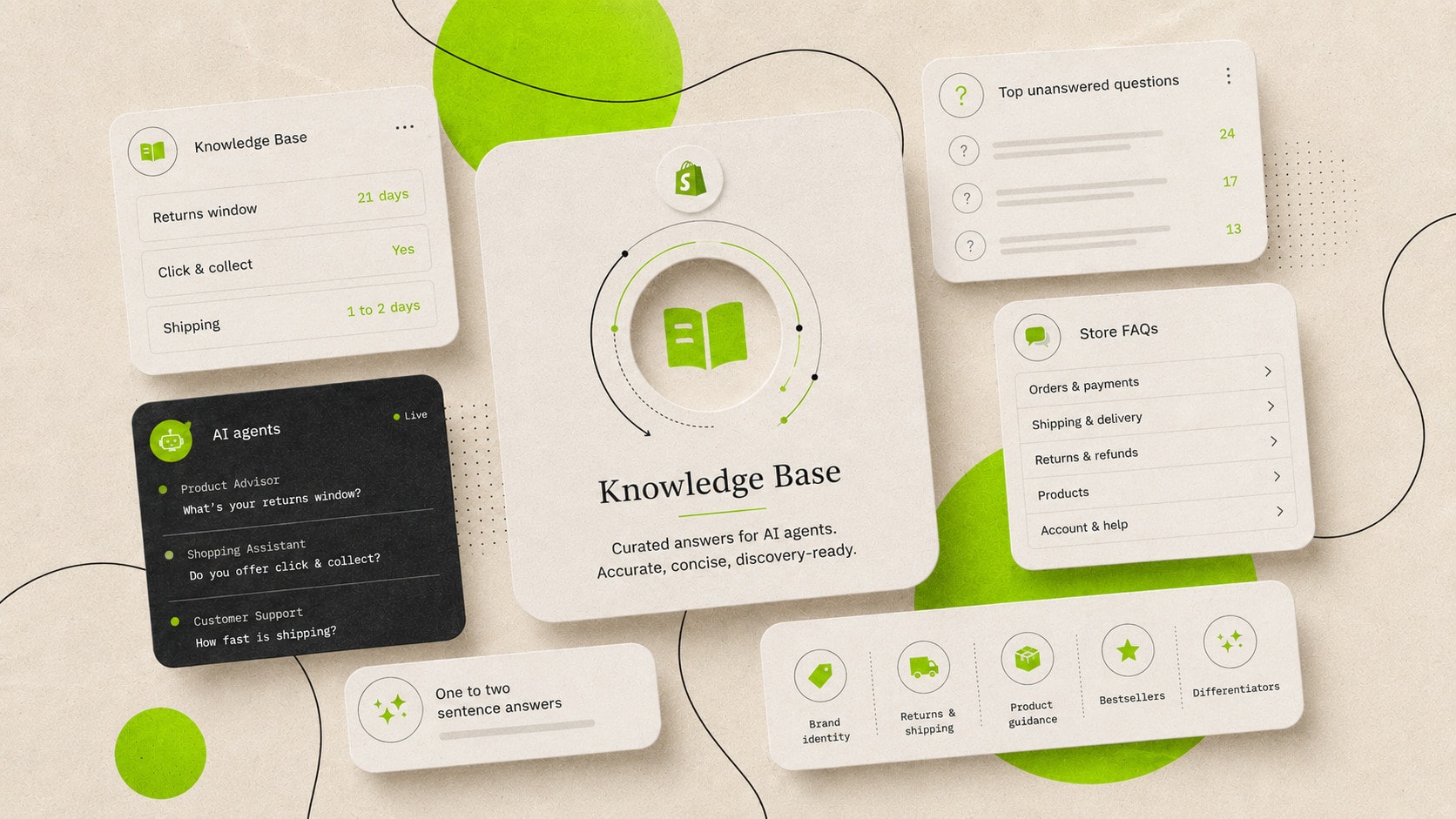
The Shopify Knowledge base holds the question-and-answer pairs AI platforms read when they answer questions about your store. When a shopping agent is asked about your returns policy, your shipping coverage or what the brand is, it reads this feed, so agents get the answer from you, not from guesswork. Shopify describes it as a trusted data source for AI platforms. It launched in May 2025 as a free app, and the app can no longer be installed from the App Store.
Nothing in it displays on your storefront. It is a data source for machines, and published facts are available to AI agents through the Storefront MCP. Shopify is also explicit that curating it improves the accuracy of what AI platforms say about your store and does not change how often the store appears, and on that basis it is one of the highest-value hours a merchant can spend on the agentic channel.
What's changed (October 2026)
On 26th October 2026 Shopify built the Knowledge base into the admin. You now find it under Sales channels, then Agentic, then Knowledge base, and it replaces the standalone Knowledge Base app. To open that part of the admin you need to be the store owner, or a staff member with the App development permission to view apps developed by staff and collaborators, or the App and sales channel permission for Agentic.
Shopify drafts the facts from your own published storefront pages, and each one links back to the page it came from. Facts scanned from the storefront stay unpublished until you publish them. Facts that come from the admin, such as your store policies and your contact details, are published when Shopify creates them. If you were not using the app, the scanned drafts are already in the admin, and they stay unpublished until you publish them.
Shopify scans the store regularly, and a new find arrives as a suggestion you can accept or reject. Shopify does not change the Knowledge base on your behalf. If the store has a password on it, the scan cannot see the shop, and the only facts shown are the ones from the admin.
The old app can no longer be installed from the Shopify App Store, and it will no longer be available after 15th January 2027.
If you used the app and you have 1,000 or fewer facts in the app, the store facts you created an override for, and any additional facts you entered, are automatically transferred and published in the new Knowledge base. If you have more than 1,000 facts in the app, you need to add those additional facts and store fact overrides back by hand before 15th January 2027. The new Knowledge base can hold a total of 1,000 facts, which includes both the facts Shopify generates and any additional facts you add.
How agents read it
In the app, entries are stored as Shopify metaobjects, visible in the admin under Content, and distributed two ways. Neither route involves anyone visiting a page.
- The storefront MCP tool search_shop_policies_and_faqs, which any agent can call against the store's /api/mcp endpoint and receive the question-and-answer pairs as structured JSON. This is the same interface family covered in our piece on the UCP migration, and the policies tool is unauthenticated, so you can read your own feed the way an agent does. Shopify has marked this tool as deprecated and points new builds to a replacement called ask_business, and the old tool still works.
- Shopify's syndication to connected AI surfaces through the agentic storefronts channel, where the same verified facts travel alongside structured product data to Shop and other AI platforms.
Shopify still generates the facts, from your published storefront pages and from admin data such as your policies. Facts scanned from the storefront stay unpublished until you publish them. Facts linked to the admin, such as policies and contact details, are published when Shopify creates them.
What we found when we captured a live feed
As the baseline step of a recent engagement, we captured a live store's feed by querying search_shop_policies_and_faqs with 28 questions a shopper would ask: returns, exchanges, delivery costs and times, click and collect, gift services, appointments, care, sizing, warranty and payment. The store is a premium brand with a strong team, and nobody had ever opened the app.
Thirteen of the 28 questions returned nothing at all. No answer on refund timing, delivery cost, appointments, ring sizing, resizing, care or warranty, each an empty response an agent has to fill with a shrug or a guess.
The answers that did come back were the bigger problem. The returns answer stated a shorter window than the policy page it was meant to summarise. Click and collect came back as a raw system record, location ID and machine-formatted pickup time included, with nothing a buyer could act on. A gift service was confidently advertised that the store does not sell. Every one of those answers was live, being served to any agent that asked.
None of this is unusual, and Shopify's own documentation is upfront that auto-generated answers are a starting point to review. Once agents are in the buying journey the review step stops being optional, because an unanswered question costs a sale and a wrong answer causes a service incident.
The question set to test your own store against
The question set is the method, so you can repeat the baseline without our tooling. Ask your store what a shopper would ask it, group by theme, and score each answer as accurate, wrong or missing. This is the set we run, and any store's version differs only in the category-specific block.
| Theme | The questions |
|---|---|
| Returns and exchanges | Returns policy, exchanges, refund timing, sale items, online returns in store, special orders, cancellations |
| Delivery | Cost, timing, free thresholds, international coverage, duties, same-day, click and collect |
| Store and service | Visiting a store, appointments, trying products, gift wrapping |
| Product confidence | Care instructions, sizing, alterations or resizing, warranty and guarantees |
| Payment and trust | Payment methods, buy-now-pay-later options, sustainability practices |
If the store still has the app, you can run the set there until 15th January 2027. On the admin page, read the facts under Sales channels, then Agentic, then Knowledge base. You can also read the response through the policies tool on the MCP endpoint, which is covered step by step in how to test what a shopping agent sees. Twenty to thirty questions covers a standard premium store, and the scoring takes under an hour.
The three kinds of entry
This table is how the app sorts entries, for a store that still has it. The admin page groups facts by category and by where they came from, and the steps for that page are under Loading it.
| Entry type | Where it comes from | What you can do with it |
|---|---|---|
| Auto-generated (Default) | Generated by Shopify from information about your store, not your products | Cannot be deleted. Override the answer, or revert to the default |
| Manual | Created by the merchant via Add FAQ | Fully editable and deletable |
| From unanswered questions | Real agent queries the feed could not answer, listed in the app | Answer them in place, which creates a manual entry |
The third type is the one to watch. The Top unanswered questions log lists the things real buyers asked real agents about your store with no answer available, which makes it a free source of genuine FAQ demand that no keyword tool can see.
The five categories to load
Shopify now drafts a base of facts from your pages, and the substance of the work is still the custom entries. We load every store against the same five categories, typically 15 to 25 entries in total.
- Brand identity and positioning. What the brand is, who it is for, and what makes it the right recommendation, written as the direct answer to "What is this brand?". This is the single most important entry in the feed.
- Return and shipping policies. The actual terms in plain English: return window, process, free thresholds, timeframes by region, international coverage. Stated to match the policy pages exactly.
- Product category guidance. Which collections serve which use cases and occasions, so an agent asked for a gift, a first purchase or a specific situation is steered to the right part of the catalogue.
- Bestselling and featured products. A direct answer naming the products you want surfaced and one line on why. This is the nearest thing the agentic layer has to a featured-products signal.
- Brand differentiators. The answer to "why this brand over another", stated plainly, because comparison questions are asked constantly and an agent without your answer will improvise one or concede to a competitor with a clearer story.
A worked entry set for one category
This is the category-guidance block written out, for an illustrative premium footwear brand. The questions are phrased the way an agent receives them from a buyer, and each answer stands alone, names real parts of the catalogue and stays within the two-sentence guidance.
| Question | Answer |
|---|---|
| What boots do you recommend for wet, muddy walking? | The waterproof walking collection is built for exactly this, and the full-rubber styles in it are the right choice when conditions are consistently wet. Neoprene-lined versions add warmth for winter use. |
| What would work as a gift for someone who spends weekends outdoors? | The bestselling waterproof boots are the safest gift, sized generously and exchangeable within the standard returns window. Gift cards are available for buyers unsure of size. |
| What is the difference between your rubber and leather ranges? | Rubber boots are fully waterproof and suited to sustained wet ground, while the leather range trades some of that protection for formality and all-day comfort. Most customers buying for field use choose rubber. |
| Which of your products are most popular? | The classic waterproof boot is the consistent bestseller, followed by the neoprene-lined winter version. Both are stocked in the full size range year round. |
Every answer steers towards a named part of the range, states a fact an agent can safely repeat, and answers the likely follow-up question inside the first. Repeated across the five categories, the feed becomes a sales assistant's knowledge in a form a machine can relay without mangling it.
Writing answers an agent can relay
Shopify's guidance throughout the app is a brief one-to-two sentence answer, and the guidance is right, because whatever you write gets relayed, summarised or quoted by a consuming agent, and short declarative answers survive that intact.
Write the answer so it stands alone without the question, because that is how it arrives in an agent's context. An answer of "Yes, within 21 days" degrades badly when the question is lost, while "Unworn items can be returned within 21 days of delivery for a full refund" survives on its own. Lead with the fact, keep one condition if one matters, and put everything else on the policy page the entry points to.
Keep the feed consistent with everything else machines read. The returns window in the Knowledge Base, the policy page, the schema markup and the agents.md file must state the same number, because an agent that meets two different answers trusts neither, and holding one fact to one value across every surface is the working core of discovery-readiness.
Loading it: the exact flows
- Open it as the store owner, or as a staff member with the App development permission to view apps developed by staff and collaborators, or the App and sales channel permission for Agentic. From the Shopify admin, go to Sales channels, then Agentic, and in the Sources section click Knowledge Base.
- Add a fact: in Additional facts, click Add fact, enter a title, choose Paragraph, Yes/No or Tags, fill in the answer, hover Unpublished and click Publish, then click Save.
- Change a fact Shopify found: click the source on the field, choose Manual, enter your text and click Save. To publish a scanned fact, hover Unpublished and click Publish, then click Save. You can switch a manual field back to Scanned from your store, or to the admin location Shopify names.
- Remove a field you do not want agents to use: click the source, click Delete fact, then click Save. In the old app, if you still have it, auto-generated facts cannot be deleted, only overridden, and that app will no longer be available after 15th January 2027.
The Help Center steps add each fact on its own through the admin. A 20-entry set is an unhurried half hour, and the writing beforehand is where the real time goes. The old clicks, Apps then Knowledge Base, are only there if the app is already installed, and it can no longer be installed from the App Store.
Constraints and maintenance
Three constraints shape the ongoing work. The app interface is available in English, and you can write a custom FAQ in the storefront's primary language, but the same FAQ cannot be stored in more than one language in a single store, which multi-language stores need to plan around while the app is still installed. Answers should stay within the brief-answer guidance because long entries get truncated or summarised downstream. And the feed inherits every policy change, so updating the Knowledge base belongs on the same checklist as updating the policy page itself, on the same day.
The old app showed a list of unanswered questions, and it reported how often AI agents requested the store's information and which questions they could not answer. Reviewing that log monthly, and re-reading the auto-generated answers after any settings change, is the maintenance for the app. It is small, and skipping it is how feeds drift back into misquoting policies.
One date for anyone testing the feed directly: on 24th June 2026 Shopify set an end date for the cart tools get_cart and update_cart on /api/mcp. They were kept until 31st August 2026, and that date has passed. The note covered those cart tools, not the Knowledge Base itself. Anything still calling the old cart tools needs the wider migration.
What the Knowledge Base will not do
It will not make your store appear in more AI answers, and Shopify says so directly. Appearance is governed by how the wider models see the brand, by the catalogue data in Shopify Catalog, and the authority signals the platforms weigh. What the Knowledge Base governs is whether the store is represented accurately once an agent is talking about it.
It is also not a customer-facing FAQ page, and nothing in it displays on the storefront. If you want visible FAQs for humans, they live in your theme with FAQPage schema, and the Knowledge base runs in parallel behind them, stating the same facts to a different reader.
Our take
The surprising thing about the Knowledge Base is that it exists at all. Shopify hardly promotes it, and almost nobody understands what it is there to do. The answers it gives are synthesised and they are passable, but they depend on the store being built a certain way. If a lot of your content lives in the theme, it cannot read it. It needs facts that sit in the CMS layer, in metadata, metafields, descriptions and policies. Anything sitting inside JavaScript or the theme's Liquid is often out of its reach.
Showing a client the answers their store is currently giving agents is a eureka moment every time. Nobody wants their store telling customers the wrong thing, and every client we have shown it to has wanted it addressed straight away. It is a litmus test.
Against agents.md it is the smaller priority for now. It is manual, and its use case runs through the storefront endpoint, so its adoption will grow as that grows, while agents.md is the file the sitemap points at and the one that gets crawled first. But the Knowledge Base is a signal that has to line up with your entity and with everything else you say, and you cannot be answering incorrectly, so it stays on the list.
Questions we hear about the Knowledge Base
The app can no longer be installed from the Shopify App Store. The Knowledge base is a page in the admin under Sales channels, then Agentic, then Knowledge base. Shopify's Help Center does not list a charge for that page, and the work is the time to write and publish the facts.
No. Nothing in the Knowledge base displays on the storefront. Published facts are available to AI agents through the Storefront MCP.
Shopify drafts facts from your published storefront pages, and those scanned facts stay unpublished until you publish them. Facts linked to the admin, such as your policies and contact details, are published when Shopify creates them. If you used the app and it held 1,000 or fewer facts, the facts you overrode and the extra facts you entered were transferred and published. If it held more than 1,000 facts, you need to add those additional facts and store fact overrides back by hand before 15th January 2027.
No, and Shopify says so plainly: the app improves the accuracy of AI responses about your store, without affecting how often you appear. Visibility is built through the catalogue, authority and entity work that sits alongside it.
The app's interface is available in English. You can write a custom FAQ in your storefront's primary language, but the same FAQ cannot be stored in more than one language in a single store.
Sources & references
- Shopify Help Center, Shopify Knowledge Base(help.shopify.com)
- Shopify changelog, Knowledge base is now built into your admin(changelog.shopify.com)
- Shopify Help Center, Answering customer questions with your knowledge base(help.shopify.com)
- Shopify Help Center, Managing agentic storefronts(help.shopify.com)
- Shopify Help Center, Setting up agentic storefronts for stores on the Agentic plan(help.shopify.com)
- Shopify Help Center, Managing your store FAQs using the Shopify Knowledge Base app(help.shopify.com)
- Shopify App Store, Shopify Knowledge Base(apps.shopify.com)
- Shopify developer documentation, Storefront MCP(shopify.dev)
- Shopify developer documentation, Policy and FAQs tool(shopify.dev)
- Shopify developer documentation, Ask MCP(shopify.dev)
- Shopify developer changelog, Storefront MCP cart tools are being deprecated in favour of UCP Cart MCP(shopify.dev)